

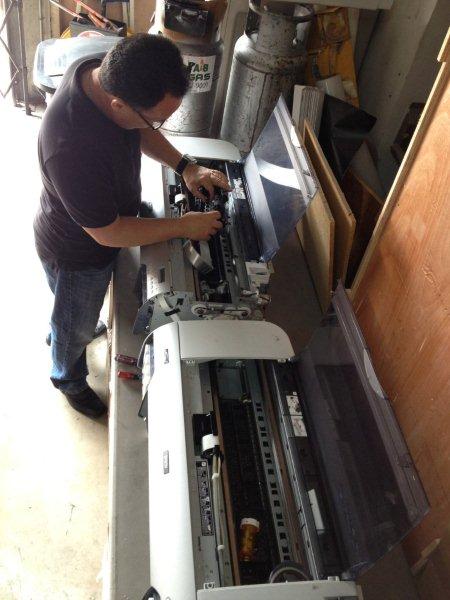
Good preparation makes a service visit easier to plan. If your Epson or Canon large-format printer needs repair, gather the model, fault details and access information before booking on-site service with Image Pro International.
Our printer repair work is limited to Epson and Canon large-format equipment. We also repair Epson projectors, but this guide focuses on larger printers that will be assessed at the customer’s location.
1. Identify the machine and the fault
Read the full model and serial number from the equipment label. Larger models include the 44-inch Epson SureColor P9000 and the Canon imagePROGRAF PRO-4100 and PRO-6100 families. The model names are examples; confirm your exact machine’s eligibility when contacting us.
Write down the display message and support code. Explain what happens immediately before the fault, whether it happens every time, and whether it affects loading, printing, output quality or the connection to the computer. Keep photographs or an affected print available.
2. Preserve the normal print workflow
Have someone available who knows the application, media and settings normally used. For a job-specific problem, keep a suitable example that can be reviewed without exposing confidential customer information. Tell us whether the fault started after a media change, a connection change or a period when the printer was idle.
3. Plan access to the service location
- Give the full service address and an on-site contact number.
- Explain parking, loading-area access and building entry procedures.
- Clear working space around the printer without relocating it unnecessarily.
- Tell us about stairs, narrow access, restricted hours or other site conditions.
- Arrange access to the computer and printer for an authorized staff member.
Discuss any special access arrangements before the appointment. Contact us before moving the printer or disconnecting equipment needed to reproduce the fault.
4. Confirm the visit details
Provide any warranty or service-agreement information. Ask about the appointment, assessment arrangements and approval of further work. Some faults require parts or a return visit; the service plan depends on what the assessment finds. Share your production deadline so the impact is understood.
On-site service across South Florida
Our service area includes Miami-Dade, Broward, Monroe and Palm Beach counties. Include the town and full address in the request so travel and access can be considered when arranging your appointment.
Arrange on-site large-format printer service
Image Pro International provides on-site service for Epson and Canon large-format printers in South Florida. Call 305-969-8863 or complete our repair request form with the model, symptoms and service address. We cover Miami-Dade, Broward, Monroe and Palm Beach counties. Confirm model eligibility, appointment availability, warranty requirements and visit arrangements when you contact us.
Our Miami location is 7640 NW 25th Street, Unit 113, Miami, FL 33122. Business hours are Monday-Friday, 9:00 AM-5:00 PM. Learn more about our large-format printer repair services in Miami.
[…] Prepare for an on-site printer service visit […]
[…] Prepare for an on-site printer service visit […]